
Number 1:  URL to Markdown
Convert any website to clean markdown format with images
- File converters
- DR 6 no change since last check
File converters
Convert subtitles and transcripts to editable Word documents in your browser, privately
Ahrefs Domain Rating benchmarked 25 Oct 2026, rebuilt 25 Oct 2026.
| Metric | Value |
|---|---|
| Domain Rating | 0 no change since last check |
| Trust Flow | 3 no change since last check |
| Citation Flow | 22 no change since last check |
| Referring domains | 8 no change since last check |
| External backlinks | 15 no change since last check |
Ahrefs Domain Rating benchmarked 25 Oct 2026, rebuilt 25 Oct 2026. Main build topic: Computers/Internet/E-mail (3). Majestic benchmarked 25 Oct 2026, rebuilt 25 Oct 2026. Link data built by Majestic. Trust Flow, Citation Flow and Topical Trust Flow are trademarks of Majestic-12 Ltd.
| Domain age | 1 month |
|---|---|
| Registered | |
| Expires | |
| Registrar | Spaceship, Inc. |
| DNSSEC | Not signed |
Browser-based converter that transforms subtitle files (SRT, VTT, ASS) and Zoom transcripts into editable Word documents with optional speaker labels and
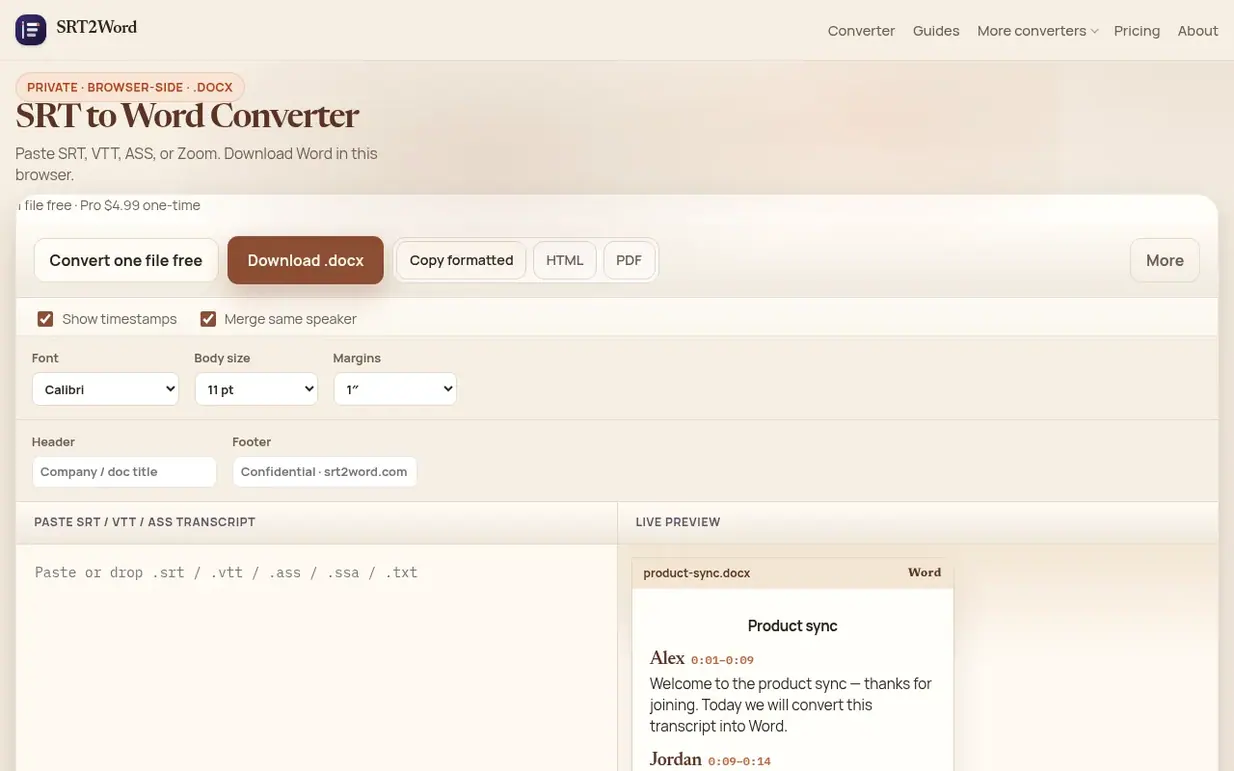
SRT2Word is a browser-based tool for converting subtitle and transcript files into editable Microsoft Word documents. It accepts standard SubRip (.srt), WebVTT (.vtt), ASS/SSA, and Zoom plain-text transcripts, then rebuilds them as readable paragraphs with optional speaker labels and timestamps.
The tool processes all conversion work locally in your browser—parsing and Word document generation never send your files to an external server. One file converts free forever with no account required. The output opens in Microsoft Word, Word Online, Google Docs, and LibreOffice.
Features include speaker detection and merge (consecutive lines from the same speaker combine into paragraphs), a live preview that updates as you toggle timestamps on or off, and multiple export formats: .docx download, copy to clipboard, standalone HTML, and print-to-PDF. Pro adds batch processing for folders of subtitle files and custom header/footer text on downloads, available as a one-time $4.99 payment rather than a subscription.
Pricing model: Freemium
Free: one file conversion (SRT, VTT, ASS, or Zoom transcript to .docx) with speaker merge, timestamp toggle, live preview, copy formatted, HTML download, and print-to-PDF. Pro: $4.99 one-time payment for batch ZIP (multiple files to one ZIP of Word documents) and header/footer presets. No subscripti
Nobody has put SRT2Word on the bench yet. Leave the first review.
Reviewing is free, and nobody can pay for a review. Read the bench notes
Maker reviews · Workshop notes · Show it off · Did you make this? Claim it · Report this build
SRT2Word has a free listing. The owner can unlock the full profile with a paid launch for $5:
URL to MarkdownConvert any website to clean markdown format with images
 TwitterDown
Download public Twitter/X videos as MP4
 Image to URL
Convert images to direct URLs for sharing and embedding
 notebookconvert.com
Convert Jupyter Notebook files to PDF, HTML, or Python directly in your browser
Mind if we set one analytics cookie, to see which builds get read? It stays off unless you say yes. Privacy