
Number 1:  MJJ Tools
160+ free online tools and utilities for calculations, conversions, and productivity
- Online Tools & Utilities
- DR 9 no change since last check
Online Tools & Utilities
Free in-browser tool that plays a 165 Hz tone to help push water and dust out of phone speakers
Ahrefs Domain Rating benchmarked 14 Nov 2026, rebuilt 14 Nov 2026.
A free, browser-based tool that plays low-frequency tones to help remove loose water and dust from phone speakers without recording audio.
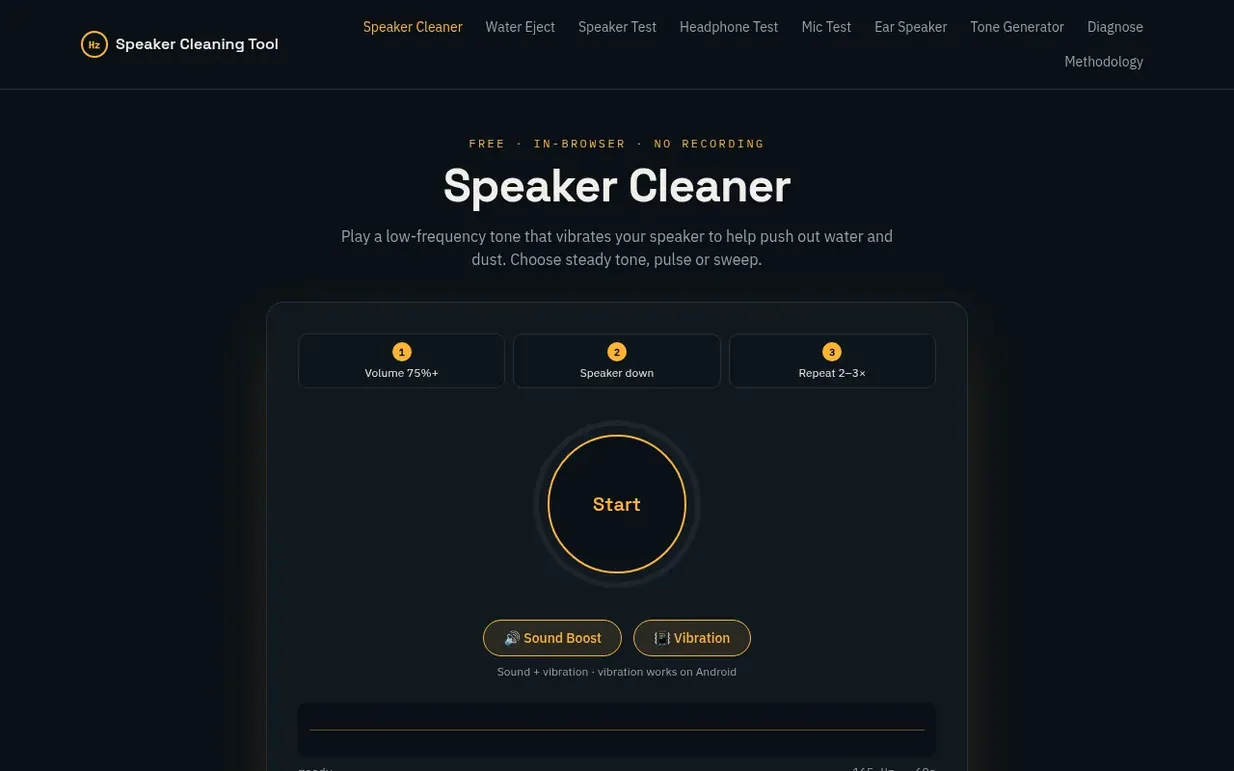
Speaker Cleaning Tool is a free web application that generates low-frequency tones to help shake water droplets and light dust from phone speakers. Users select from three modes (steady tone, pulse, or sweep between 100–300 Hz) and run the tool for 30 to 120 seconds with the speaker facing downward, repeating 2–3 times as needed.
The tool runs entirely in the browser using the Web Audio API and never records audio, requests microphone access, or uploads data. It includes preset routines for water ejection, dust removal, and deep cleaning, plus optional sound boost and vibration features on Android devices.
The site emphasizes that sound displacement works only on loose water and dust near the speaker grille, not on packed debris, corrosion, or hardware damage. It provides troubleshooting guides, device-specific tips, and comparisons to other drying methods like air-drying and heat, advising against rice, compressed air, and sharp objects.
Pricing model: Free
Following Speaker Cleaning Tool means an email when they reach a milestone, post an update or launch a new product.
| Metric | Value |
|---|---|
| Domain Rating | 0 no change since last check |
| Trust Flow | 2 no change since last check |
| Citation Flow | 18 no change since last check |
| Referring domains | 4 no change since last check |
| External backlinks | 9 no change since last check |
Ahrefs Domain Rating benchmarked 14 Nov 2026, rebuilt 14 Nov 2026. Main build topic: Arts/Online Writing (2). Majestic benchmarked 14 Nov 2026, rebuilt 14 Nov 2026. Link data built by Majestic. Trust Flow, Citation Flow and Topical Trust Flow are trademarks of Majestic-12 Ltd.
| Domain age | 1 month |
|---|---|
| Registered | |
| Expires | |
| Registrar | HOSTINGER operations, UAB |
| DNSSEC | Not signed |
Plan your launch with our free playbook, from preparing your listing to choosing more launch directories.
Nobody has put Speaker Cleaning Tool on the bench yet. Leave the first review.
Reviewing is free, and nobody can pay for a review. Read the bench notes
Maker reviews · Workshop notes · Show it off · Did you make this? Claim it · Report this build
Speaker Cleaning Tool has a free listing. The owner can unlock the full profile with a paid launch for $5:
MJJ Tools160+ free online tools and utilities for calculations, conversions, and productivity
 Toolexe
1,178+ free online tools for developers and everyday tasks
 FastSaveMedia
Free browser tools that run locally, no upload, no signup
 Got A Tool
A collection of 150 free browser tools for preparing documents, contacts, data, and privacy-sensitive files without sending them to external servers.