Number 1:  Tsubami
Free image and PDF tools that process files in your browser without upload or account
- PDF tools
- DR 0 no change since last check
PDF tools
Browser-based PDF tools that process files locally with no uploads or paywalls
Ahrefs Domain Rating benchmarked 26 Oct 2026, rebuilt 26 Oct 2026.
| Metric | Value |
|---|---|
| Domain Rating | 0 no change since last check |
| Trust Flow | 2 no change since last check |
| Citation Flow | 19 no change since last check |
| Referring domains | 4 no change since last check |
| External backlinks | 11 no change since last check |
Ahrefs Domain Rating benchmarked 26 Oct 2026, rebuilt 26 Oct 2026. Main build topic: Science/Environment (2). Majestic benchmarked 26 Oct 2026, rebuilt 26 Oct 2026. Link data built by Majestic. Trust Flow, Citation Flow and Topical Trust Flow are trademarks of Majestic-12 Ltd.
| Domain age | 8 months |
|---|---|
| Registered | |
| Expires | |
| Registrar | NameCheap, Inc. |
| DNSSEC | Not signed |
A free suite of PDF tools including merge, split, compress, convert, edit, and organize functions that run entirely in your browser without uploading files to
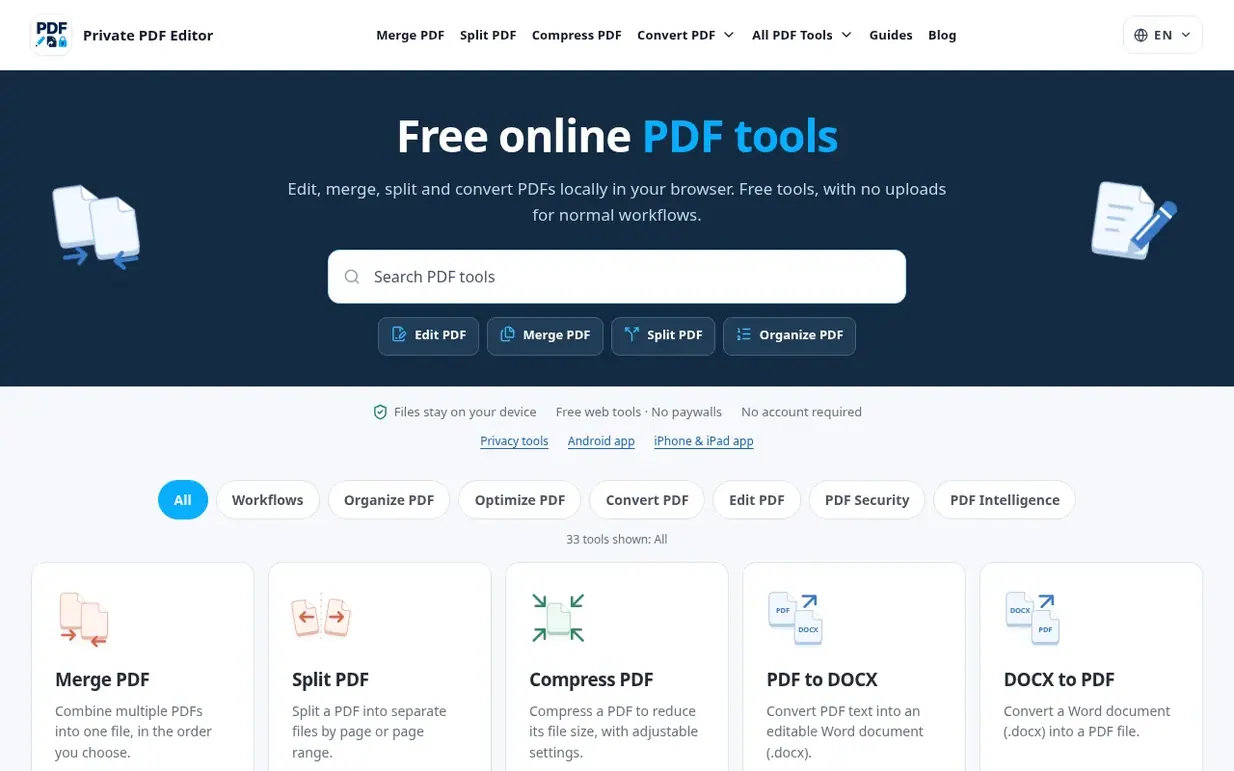
Private PDF Editor is a browser-based PDF toolkit by DayFiles that lets users perform common document tasks locally without uploading files to remote servers. The application covers high-frequency PDF jobs such as merge, split, compress, rotate, organize, crop, watermarking, page numbering, and conversions between PDF, DOCX, JPG, and HTML formats.
All tools run directly in the browser using client-side processing, meaning files stay on the user's device throughout the workflow. The product is designed as a progressive web app (PWA) that can work offline after the initial load, making it suitable for users working with sensitive documents like contracts, internal reports, and confidential materials.
Every web feature is completely free to use with no subscription, paywall, or account requirement. The site provides 33 tools across workflows including organize, optimize, convert, edit, and security categories. Support is available via email for bug reports, feature requests, and privacy questions.
Pricing model: Free
Nobody has put Private PDF Editor on the bench yet. Leave the first review.
Reviewing is free, and nobody can pay for a review. Read the bench notes
Maker reviews · Workshop notes · Show it off · Did you make this? Claim it · Report this build
Private PDF Editor has a free listing. The owner can unlock the full profile with a paid launch for $5:
TsubamiFree image and PDF tools that process files in your browser without upload or account
 PDFBetter
AI-native PDF editor that lets you tell an agent what to do with your documents
18 PDF tools in one native Mac window, including redaction that destroys content and proves it
 PDF Guru
AI tool that summarizes PDF files and analyzes documents faster through AI-powered chat
Mind if we set one analytics cookie, to see which builds get read? It stays off unless you say yes. Privacy