Number 1:  Tsubami
Free image and PDF tools that process files in your browser without upload or account
- PDF tools
- DR 0 no change since last check
PDF tools · United States
AI-native PDF editor that lets you tell an agent what to do with your documents
Also in the toolbox:
Google Play (new tab)Ahrefs Domain Rating benchmarked 26 Oct 2026, rebuilt 26 Oct 2026.
| Metric | Value |
|---|---|
| Domain Rating | 7 no change since last check |
| Trust Flow | 1 no change since last check |
| Citation Flow | 22 no change since last check |
| Referring domains | 7 no change since last check |
| External backlinks | 19 no change since last check |
Ahrefs Domain Rating benchmarked 26 Oct 2026, rebuilt 26 Oct 2026. Main build topic: Society/Politics (1). Majestic benchmarked 26 Oct 2026, rebuilt 26 Oct 2026. Link data built by Majestic. Trust Flow, Citation Flow and Topical Trust Flow are trademarks of Majestic-12 Ltd.
| Domain age | 7 months |
|---|---|
| Registered | |
| Expires | |
| Registrar | Spaceship, Inc. |
| DNSSEC | Not signed |
An AI-native PDF editor where you describe tasks in plain language and the AI agent proposes changes for you to approve, handling editing, filling forms
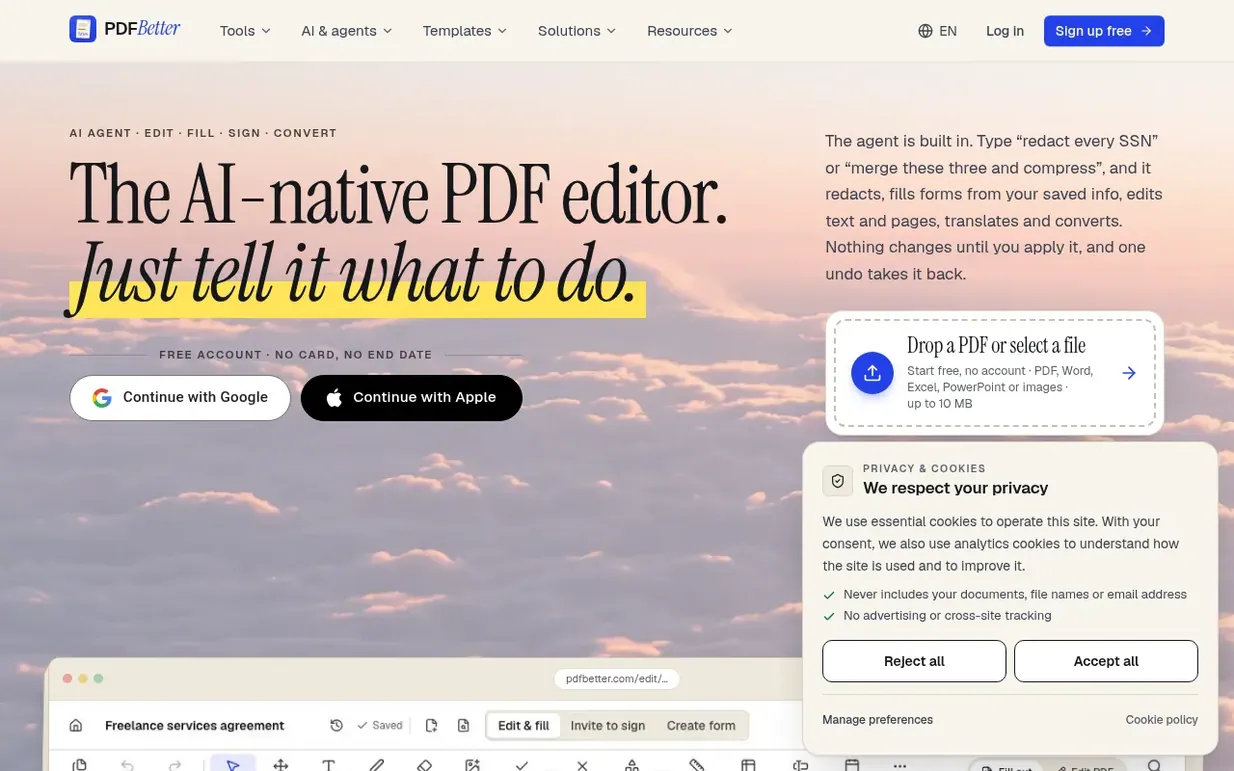
PDFBetter is an AI-native PDF editor and document workflow platform. Instead of hunting through menus, you describe what you need done—redact SSNs, fill forms with your saved info, merge and compress, translate pages, add page numbers—and the AI agent shows each step and proposes changes for you to review and approve before applying them. The editor handles editing text on existing PDFs, filling forms, creating fillable forms from flat PDFs, requesting signatures from multiple signers in order, merging documents, compressing files, OCR, converting to Word, and more. Every answer from the AI cites the specific page and quotes from the document. The app works in your browser and enforces what the pricing page says: a real free plan with no watermark, no card required, and no end date.
Free plan with 3 edited-document downloads, 3 signature requests, 20 AI credits and 20 OCR pages per month. Starter at $5/month or $39/year. Pro at $15/month or $120/year ($10/month). Business at $24/month or $216/year per seat. AI credit packs from $3 (200 credits) to $40 (5,000 credits). All yearl
Nobody has put PDFBetter on the bench yet. Leave the first review.
Reviewing is free, and nobody can pay for a review. Read the bench notes
Maker reviews · Workshop notes · Show it off · Did you make this? Claim it · Report this build
PDFBetter has a free listing. The owner can unlock the full profile with a paid launch for $5:
TsubamiFree image and PDF tools that process files in your browser without upload or account
 Private PDF Editor
Browser-based PDF tools that process files locally with no uploads or paywalls
18 PDF tools in one native Mac window, including redaction that destroys content and proves it
 PDF Guru
AI tool that summarizes PDF files and analyzes documents faster through AI-powered chat
Mind if we set one analytics cookie, to see which builds get read? It stays off unless you say yes. Privacy