
Number 1:  JSKAPPS
Small, sharp software tools that each do one job well
- Browser Extensions & Plugins
- India
- DR 51 no change since last check
Browser Extensions & Plugins
Free full-page screenshot browser extension for Chrome, Edge and Firefox
Ahrefs Domain Rating benchmarked 20 Oct 2026, rebuilt 20 Oct 2026.
| Metric | Value |
|---|---|
| Domain Rating | 0 no change since last check |
| Trust Flow | 21 no change since last check |
| Citation Flow | 21 no change since last check |
| Referring domains | 25 no change since last check |
| External backlinks | 85 no change since last check |
Ahrefs Domain Rating benchmarked 20 Oct 2026, rebuilt 20 Oct 2026. Main build topic: Computers/Software/Directories (20). Majestic benchmarked 20 Oct 2026, rebuilt 20 Oct 2026. Link data built by Majestic. Trust Flow, Citation Flow and Topical Trust Flow are trademarks of Majestic-12 Ltd.
| Domain age | 2 months |
|---|---|
| Registered | |
| Expires | |
| Registrar | Namecheap Inc. |
| DNSSEC | Not signed |
A browser extension that captures entire web pages as single PNG or PDF files, with built-in tools to crop, annotate, blur and edit—all locally on your device
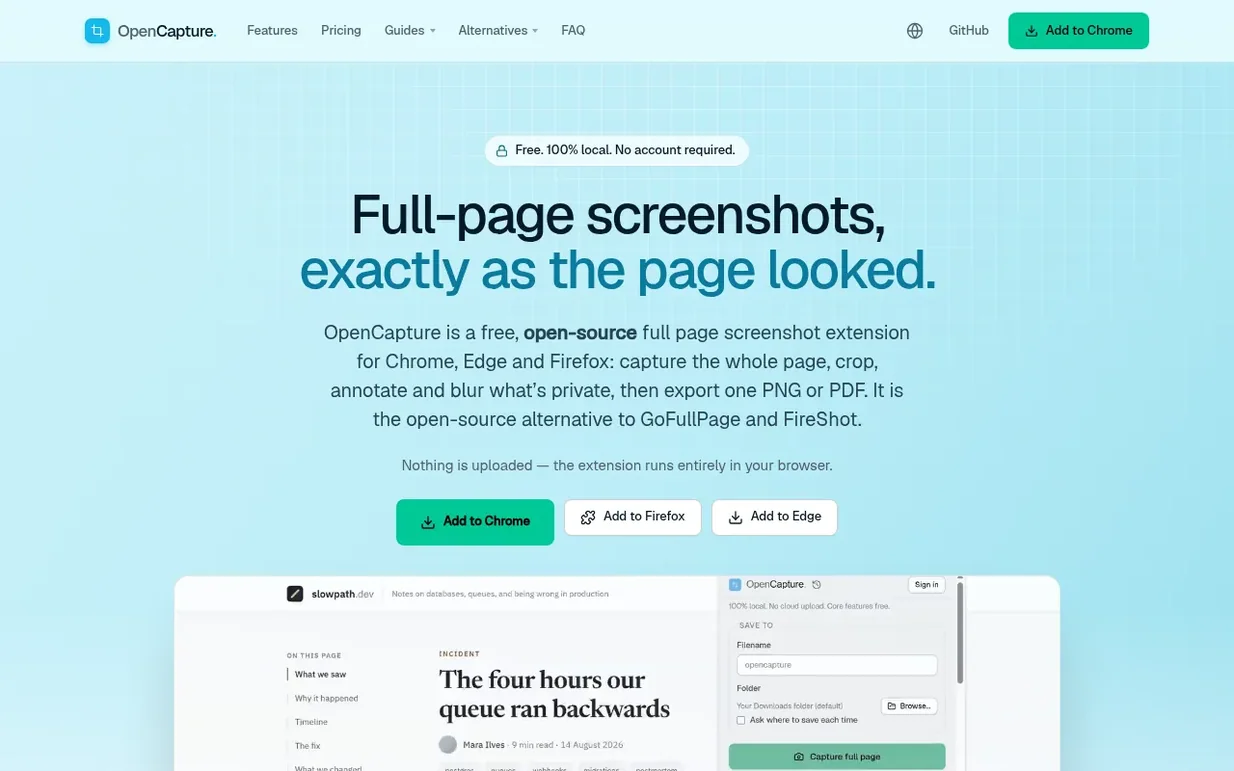
OpenCapture is a free, open-source browser extension for Chrome, Edge and Firefox that captures entire web pages as single images. The extension stitches together the full page—however long—into one PNG or PDF file with no visible seams, then lets you edit it before exporting. You can crop to what matters, draw and add text, blur anything private, and undo every step until you export.
All processing happens locally in your browser; nothing is uploaded to any server unless you choose to buy credits for the optional Supporter watermark feature. No account is required to use any of the core tools. The extension is open source under AGPL-3.0-or-later, with the watermark module as a separate paid component.
Pricing model: Freemium
Free: Full-page, visible-area and selected-area capture, crop, draw, text, shapes, blur, unlimited undo, and export to PNG or PDF. Supporter: $5 for 1,000 credits (one-time, includes tiled logo or text watermark with custom opacity, position, and angle).
Nobody has put OpenCapture on the bench yet. Leave the first review.
Reviewing is free, and nobody can pay for a review. Read the bench notes
Maker reviews · Workshop notes · Show it off · Did you make this? Claim it · Report this build
OpenCapture has a free listing. The owner can unlock the full profile with a paid launch for $5:
JSKAPPSSmall, sharp software tools that each do one job well
 Flowmata
Fast image and audio generation in Google Drive and Chrome
 InPage AI
AI assistant that works directly in your browser without switching tabs
 ReplyGen
AI reply generator Chrome extension for LinkedIn, X, and Threads
Mind if we set one analytics cookie, to see which builds get read? It stays off unless you say yes. Privacy