
Number 1:  Toolexe
1,178+ free online tools for developers and everyday tasks
- Online Tools & Utilities
- DR 3 no change since last check
Online Tools & Utilities
Free online tool to rename multiple files at once with live preview, no upload or installation required
Ahrefs Domain Rating benchmarked 7 Nov 2026, rebuilt 7 Nov 2026.
Free browser-based file renamer that lets you rename hundreds of files at once with live preview, keeping files private on your device
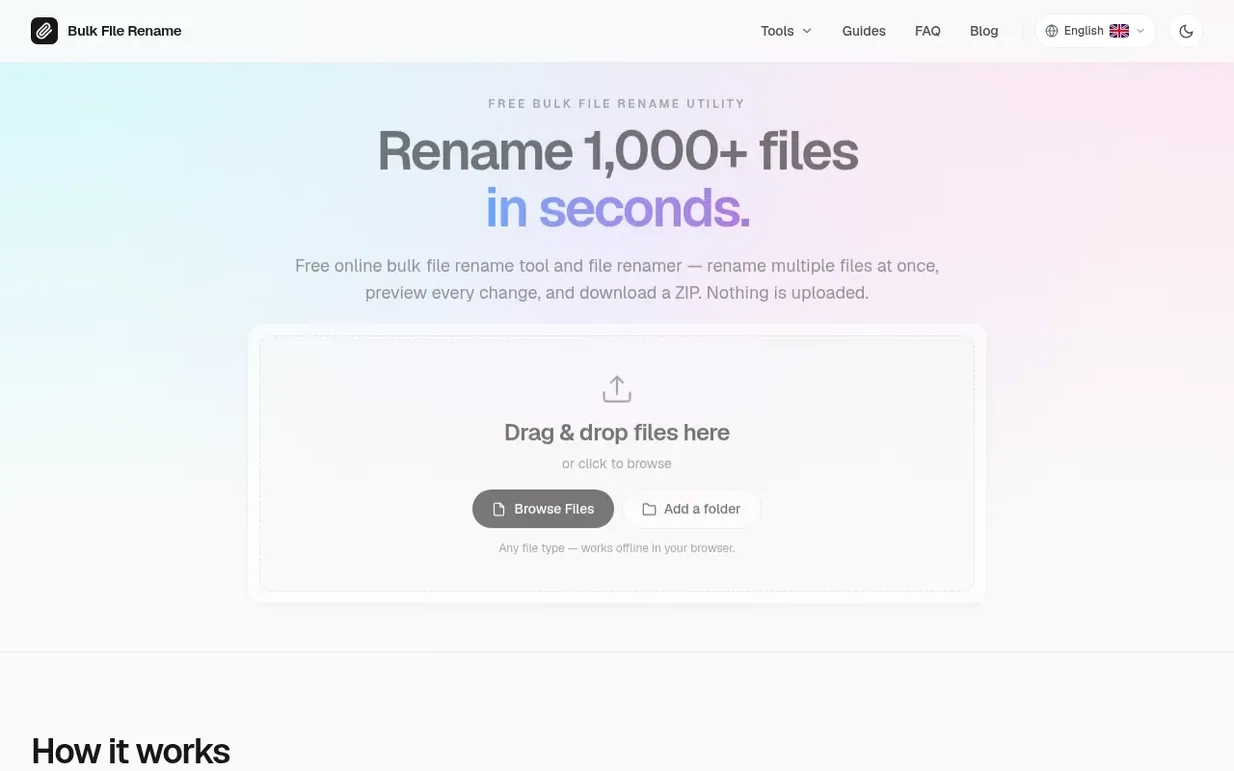
Bulk File Rename is a free online tool for renaming multiple files at once. Drop files or folders into the browser-based workbench, type a naming pattern like "Photo 001" and numbering continues automatically. The tool shows a live preview of every change before download, warns if files would get duplicate names, and lets you apply find-and-replace, case fixes, and date stamping. All processing happens locally in your browser with no file uploads or accounts required.
The tool works on any device including phones, Chromebooks, and school computers where you cannot install software. It handles any file type—photos, PDFs, documents, code files—and can rename entire folders including subfolders. Features include automatic numbering, regex patterns for complex names, real image format conversion, and smart duplicate warnings.
Pricing model: Free
Following Bulk File Rename means an email when they reach a milestone, post an update or launch a new product.
| Metric | Value |
|---|---|
| Domain Rating | 0 no change since last check |
| Trust Flow | 0 no change since last check |
| Citation Flow | 12 no change since last check |
| Referring domains | 2 no change since last check |
| External backlinks | 5 no change since last check |
Ahrefs Domain Rating benchmarked 7 Nov 2026, rebuilt 7 Nov 2026. Majestic benchmarked 7 Nov 2026, rebuilt 7 Nov 2026. Link data built by Majestic. Trust Flow, Citation Flow and Topical Trust Flow are trademarks of Majestic-12 Ltd.
| Domain age | 1 month |
|---|---|
| Registered | |
| Expires | |
| Registrar | GoDaddy.com, LLC |
| DNSSEC | Not signed |
Plan your launch with our free playbook, from preparing your listing to choosing more launch directories.
Nobody has put Bulk File Rename on the bench yet. Leave the first review.
Reviewing is free, and nobody can pay for a review. Read the bench notes
Maker reviews · Workshop notes · Show it off · Did you make this? Claim it · Report this build
Bulk File Rename has a free listing. The owner can unlock the full profile with a paid launch for $5:
Toolexe1,178+ free online tools for developers and everyday tasks
 AITERRA
Software and digital agency offering web development, SEO, paid advertising, business automation, and AI solutions
 Router IP Guide
Reference guide for default router IP addresses, login credentials, and network troubleshooting tools
 Meridian
Interactive US time zone map with current local time and daylight saving exceptions